



Makeen IVF
Integrated IVF laboratory
Connect embryology, andrology and cryostorage in one patient record, from oocyte retrieval to the recorded pregnancy outcome.
No matching features. Try a procedure name or its abbreviation.
Patient files and the andrology laboratory
Patient and partner files
Search by name, file number or identity details before opening a new file. Enter a birth date or year and contact details, then link an existing or new partner file. Either file provides access to the other partner and their recorded procedures, subject to permissions.
Semen analysis
Enter the abstinence interval, collection method, collection and examination times. The macroscopic section covers volume, colour, viscosity and liquefaction. Microscopic findings include concentration, progressive and non-progressive motility and normal morphology, alongside calculated totals. A linked sperm freezing entry can be started directly from this examination.
Sperm DNA fragmentation
Enter the number of sperm assessed and the number showing fragmentation to calculate DFI. The record links the result to the patient and examination date. Reopen it to print the report or include the counts in laboratory analysis.
FNA and TESE records
Record the procedure, physician, anaesthesia, sample counts from each side and sperm search findings. Keep a record even if no material was frozen. Separate freezing entry routes identify material obtained by FNA or TESE.
IUI sample preparation
Select both partners, record the pre-preparation findings and add a second specimen if used. Enter the preparation method, post-preparation volume, concentration and motility, and identify the physician, operator and witness. The case report presents the pre- and post-preparation findings.
Oocyte retrieval and fertilisation
Retrieval-day setup
Link the partners, then enter the cycle date, physician and trigger time. Record previous attempts and outcomes, culture media and batch numbers. Document the sperm source, preparation method such as swim-up or density gradient, and a second specimen if used. Save the active case to resume later.
Retrieval count and denudation
Enter the retrieval time and oocyte count, physician, embryologist and witness. Record counts before and after denudation and the maturity assessment. Document mature MII oocytes, the number assessed and the assessment time for the maturation indicator.
IVF, ICSI and day-one assessment
Select conventional IVF, ICSI or both. Record inseminated and injected counts and reasons for non-injection, such as immaturity or degeneration. Record day-one pronuclear findings, including 0PN, 1PN, 2PN, 3PN and multi-PN. Two polar bodies can be documented when assessing normal fertilisation.
Embryo development and biopsy
Cleavage through blastocyst
Record cell count and grade for each embryo on days two and three, and day four when assessed. On days five, six and seven, enter expansion, inner cell mass (ICM) and trophectoderm (TE) grades. Each day retains its own observations and notes.
Following one embryo across days
Assign an embryo identifier and link its daily assessment, time, developmental stage and recorded disposition. The chronology export gives each day its own columns. Historical observations without a verified identity remain separate rows.
Biopsies and embryo diagnosis
Record the embryo number, biopsy day and type, including a repeat biopsy if performed. In the diagnosis record, enter the laboratory, test and date, then the result and decision for each embryo. Link the diagnosis report to its originating case for later review.
Additional techniques and procedures
Log additional techniques used in a cycle, such as time-lapse culture or assisted hatching, and attach supporting material. Other procedures have a separate entry for an individual or a couple, the procedure name, description, date, team and notes.
Transfer, warming and warmed-oocyte ICSI
Fresh transfer or freezing from the cycle
Choose the transfer day and record transferred embryos, grades, transfer time, physician and team. Where material is frozen, create a linked sperm, oocyte or embryo freezing entry. The physician summary distinguishes performed transfer and completed freezing records from a plan.
Frozen embryo transfer
Select the patient’s straws from stock and record the warming date, medium and operator. Confirming warming updates inventory. Assess each embryo and record its disposition, such as transfer, refreezing or disposal, followed by transfer details if performed.
ICSI using warmed oocytes
Open a separate cycle and select oocyte straws from the cryobank. Record warming, the surviving and non-surviving oocytes, the number injected and fertilisation findings. Follow the resulting embryos across the recorded days until transfer or storage.
Cryobank and storage locations
Sperm cryopreservation
Open a batch for an ejaculate, an FNA or TESE specimen, or material received from another centre. Record the date, vial count, location and freezing operator. An already-frozen batch can also be added to the register. Each batch keeps its original quantity beside the number of vials still in storage.
Oocytes and embryos by straw
Allocate oocytes or embryos to individual straws and record the colour, location and count for each. For embryos, also document the freezing day, individual grade and available biopsy information. The group register shows the remaining contents of each straw.
Ovarian tissue
Create a tissue batch with its collection date, freezing date and origin. For a specimen received from outside, record the sending centre. Add the vial count and storage position. The register then follows subsequent use, transfer or disposal of the vials.
Tank, can and sleeve
Build a location tree to match the laboratory’s physical layout. Set the number of cans in each tank and sleeves in each can, the permitted specimen type and the capacity where known. Select the same registered location when entering a straw or batch of vials.
Balances and renewals
Record dated use, transfer or disposal and the affected vials or straws, then review the balance after each action. Renewal accounts group storage periods by patient and specimen type and show years due and paid. Print a patient summary of batches and locations.
Pregnancy outcomes and study variables
Finding a cycle for follow-up
In Pregnancy Outcomes, choose the procedure date range and type: retrieval, frozen embryo transfer, warmed-oocyte ICSI or IUI. Search by name, file or case number. Opening a cycle shows its dated history of follow-up visits.
From pregnancy test to delivery
Add a dated visit with notes and an optional attachment. Enter the pregnancy test result, β-hCG value and unit. A pregnancy can then be followed through sac and heartbeat counts, stability, losses, individual fetal sex, delivery mode and the number and sex of the newborns.
Define a variable and assign cases
Name the procedure, material or medication under study. Filter or search for cases, select one or several, then document use or non-use with a date and notes. You may also define a numeric outcome, give it a name and specify its unit.
Compare the two groups
View results for documented use alongside documented non-use, with the number of cases contributing to each indicator. A custom numeric outcome shows group means and the number measured. Cases with an unrecorded use status are counted separately.
Cycle analysis and staff performance
Maturation, fertilisation and blastulation
Review maturation from MII in fresh ICSI-only cycles with complete assessments, and fertilisation by insemination method. Inspect cumulative blastocyst development through days five, six or seven. Each measure shows its numerator, denominator, data coverage and reasons for exclusion.
Transfer outcomes and role-specific workload
Review workload by staff member, procedure and role, alongside fertilisation, blastulation and pregnancy outcomes associated with that recorded role. The outcomes view shows eligible cycles, β-hCG, clinical pregnancy and live birth results, together with follow-up completeness.
Survival after vitrification and warming
Review embryo and oocyte survival after documented warming. Linking the warming assessment to its straw, patient and original freezing operator supports operator-specific results, including a vitrification-only measure. Embryo survival includes recorded full and partial survival.
Physician reports, exports and worksheets
Physician treatment-cycle summary
Print one cycle report covering retrieved and injected oocytes, fertilisation and day-by-day embryo development. It follows the cycle to transfer or linked freezing batches and includes dated pregnancy test, follow-up and delivery outcomes when documented.
Case, embryo and cryostorage exports
Select a month or start and end dates, then the procedure of interest. In Excel or CSV the embryo table separates procedure, embryo number and daily grades into distinct columns. The cryostorage table separates embryo ID, number, grade and documented individual transfer outcome from the cycle’s pregnancy outcome.
Document centre and 24 worksheets
Open a recorded procedure report or print a blank or patient-specific worksheet. Templates cover andrology, hormones and genetics, retrieval, IVF and ICSI, culture, transfer, biopsy, freezing, warming, consent checks and referrals. Each worksheet includes institution branding and fields for results and review.
Sample identity and unit administration
Sample identity and label history
Find the patient or procedure record, select the label and container type, then generate and print the label. Reopen it by code or compare source and destination codes to check their record links. The check history shows the result, operator and time.
Review and approval
Save a test report as a draft during entry and submit it for review when complete. An authorised user can approve the report or reopen it with a recorded reason. The laboratory day board shows procedures for a selected date and older unfinished cases, searchable by name or file and filterable by the responsible staff member.
People and access permissions
Open Settings after Sample ID to manage physicians, employees and user accounts. Assign responsibility for viewing, editing, approving, printing and exporting records, and control access to storage-location and centre settings.
Backups and institution branding
Choose an external backup folder and password, run a backup manually or enable daily backups while the application is running. Review the backup details before restoration. Institution settings control the bilingual centre and unit names, logo, report header and footer.
Workstation configurations
Use Standalone on a single computer, or the Clients edition to connect centre workstations to their host. In a centre setup the workstations connect to the shared centre data, and each staff member accesses records through their own account and permissions.
Inside the workspace
All screenshots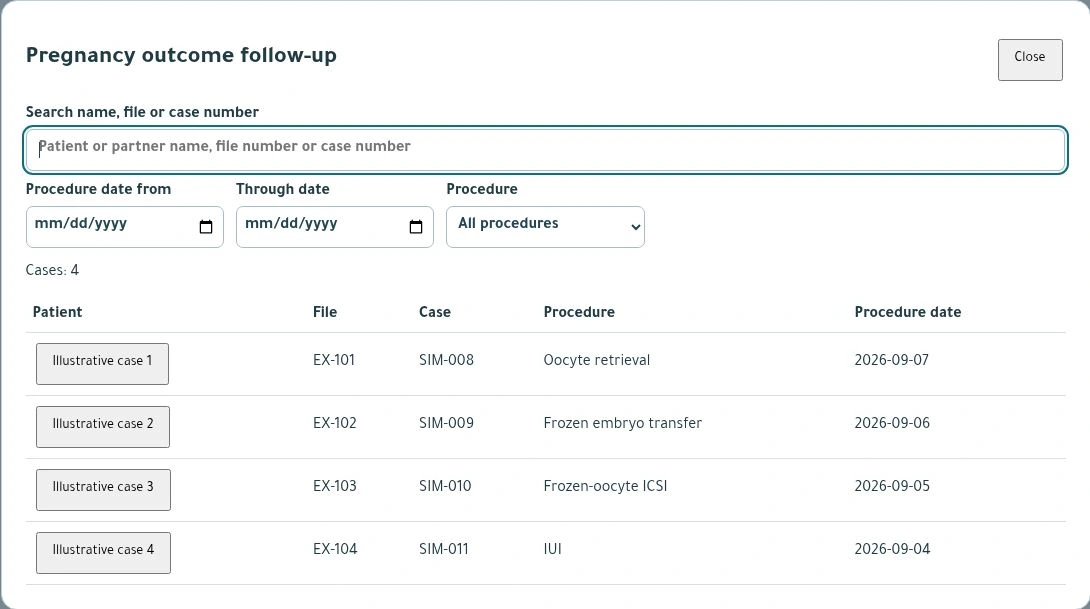
Pregnancy outcomes
Find a cycle by name or file number, then filter the list by procedure and date.
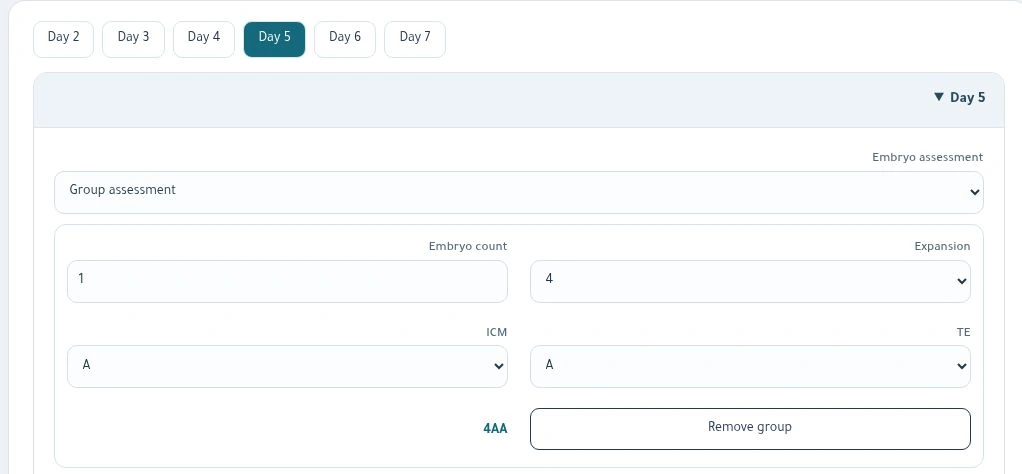
Day 5 blastocyst grading
Record expansion, inner cell mass and trophectoderm grades, then review the resulting embryo grade.
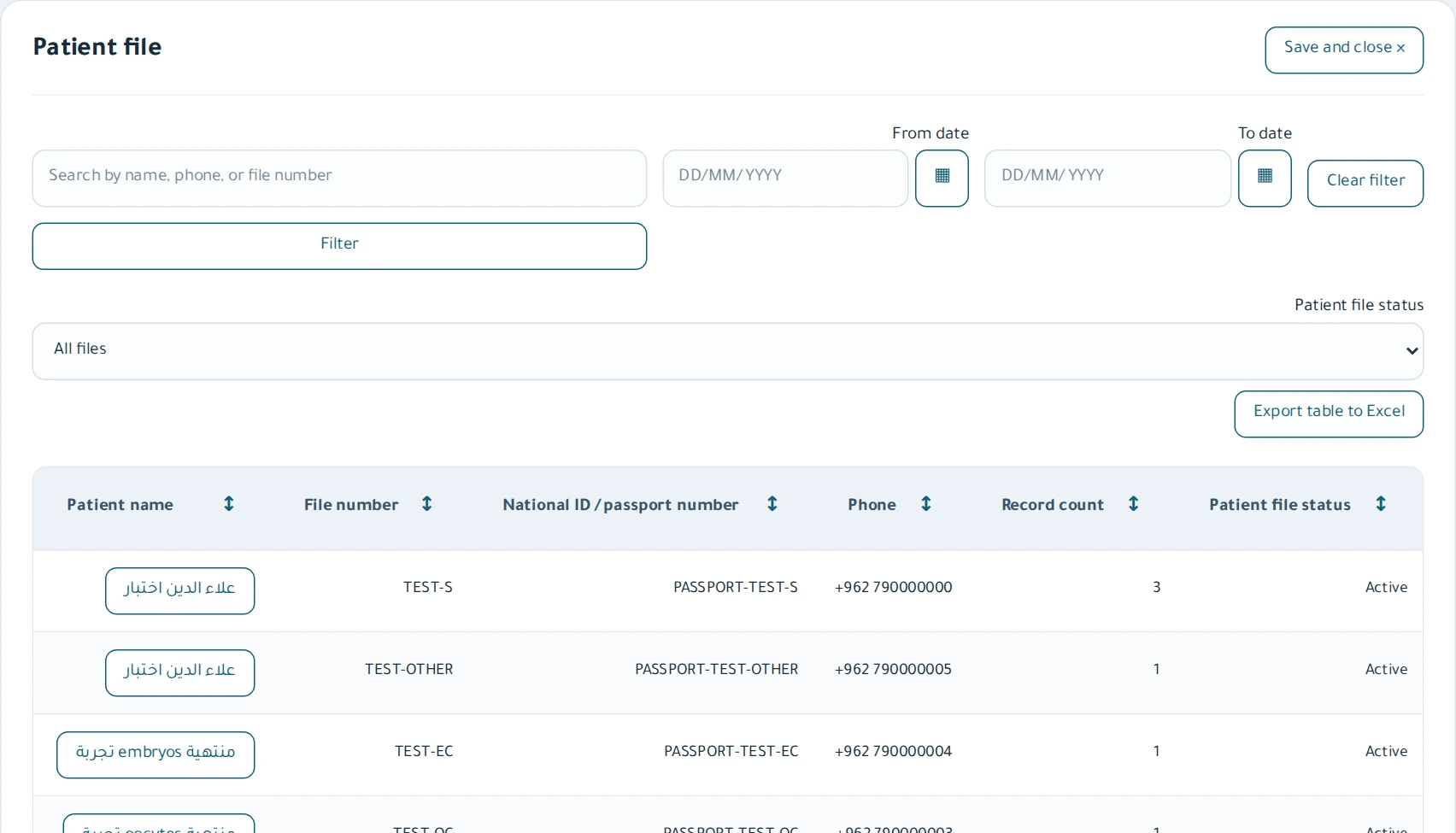
Patient files
Search the patient register and open a record from the results table.
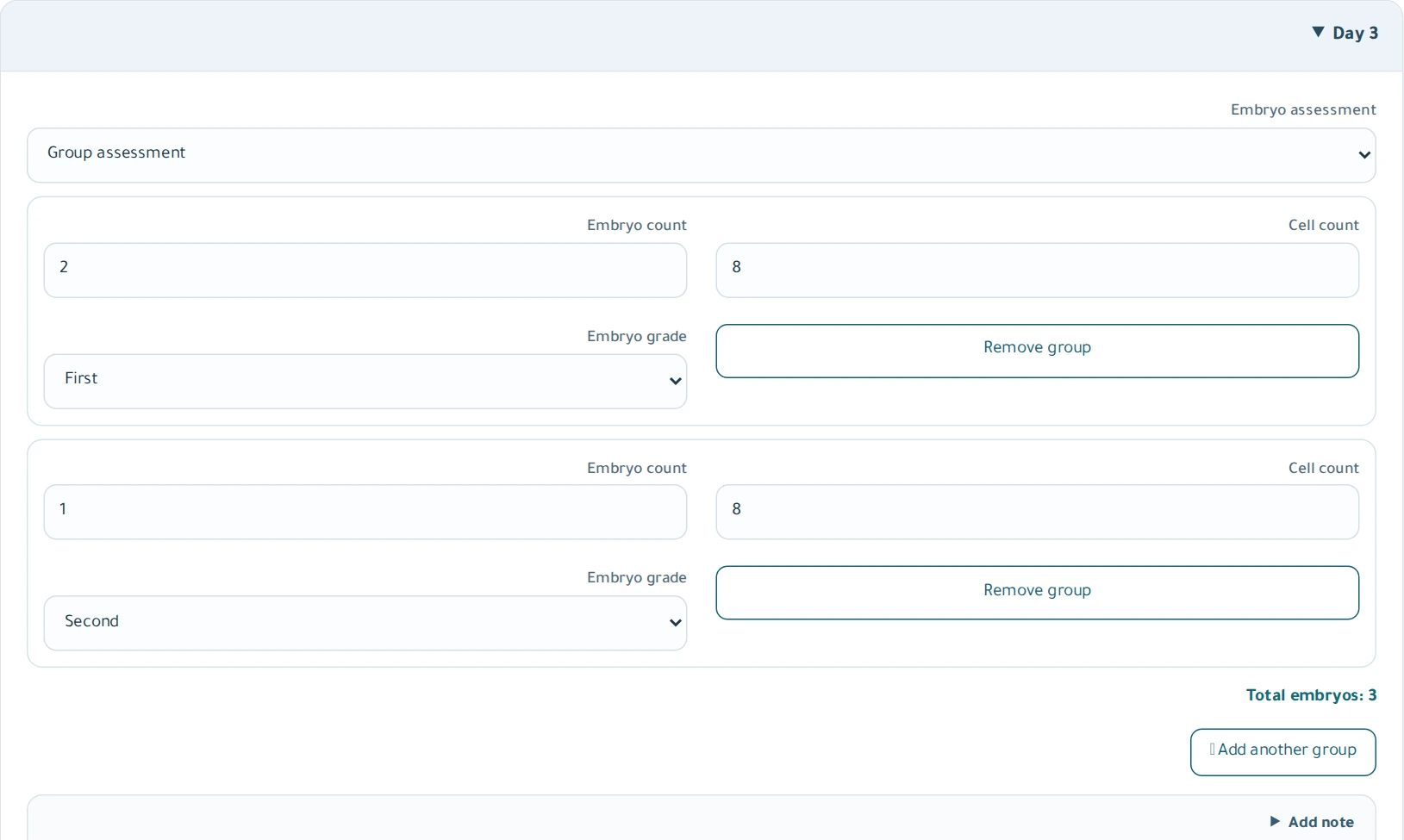
Day 3 embryo assessment
Record the number of embryos in a group, cell count, grade, symmetry and fragmentation.
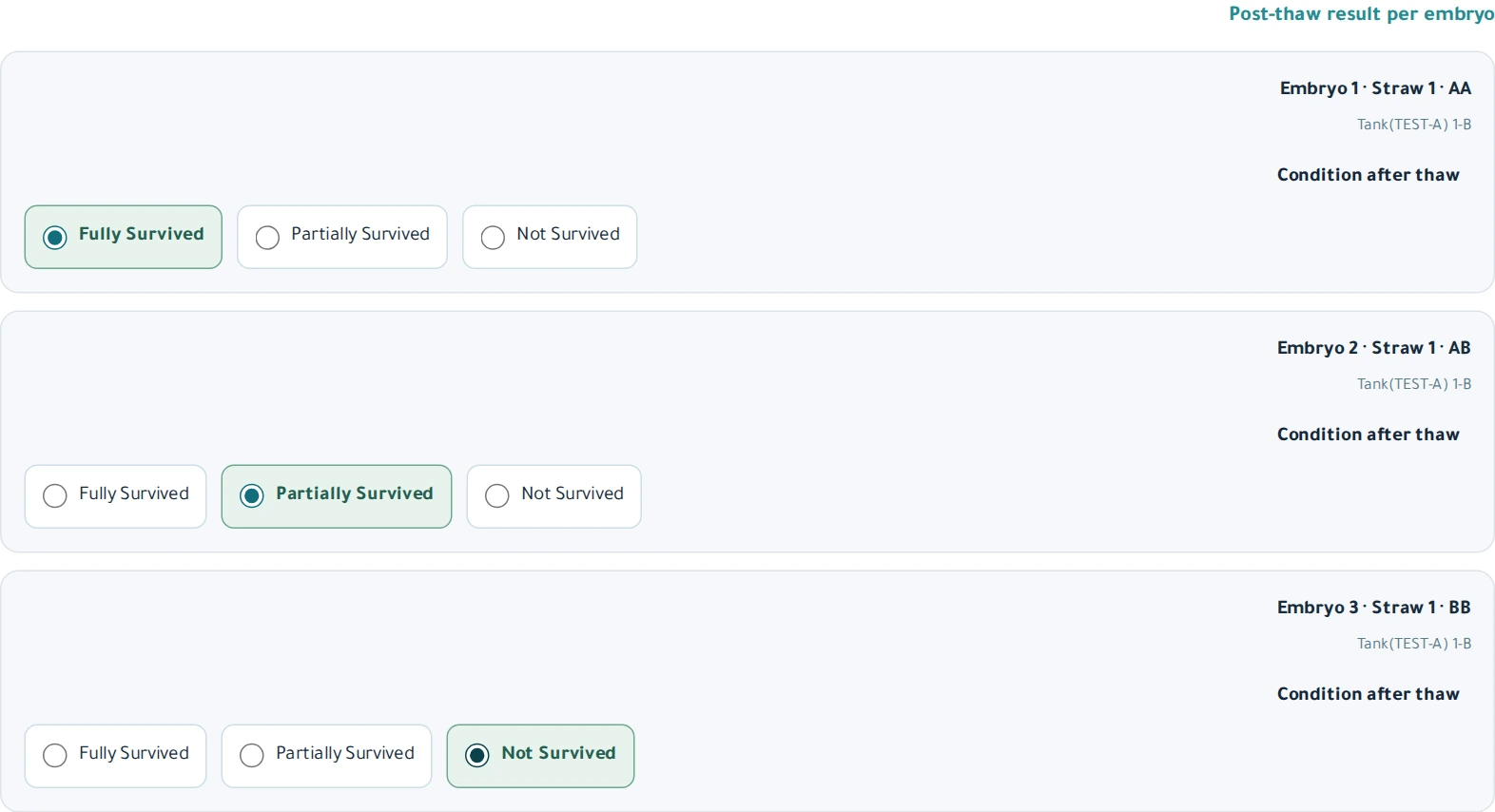
Embryo survival after warming
Record full survival, partial survival or non-survival for each warmed embryo.
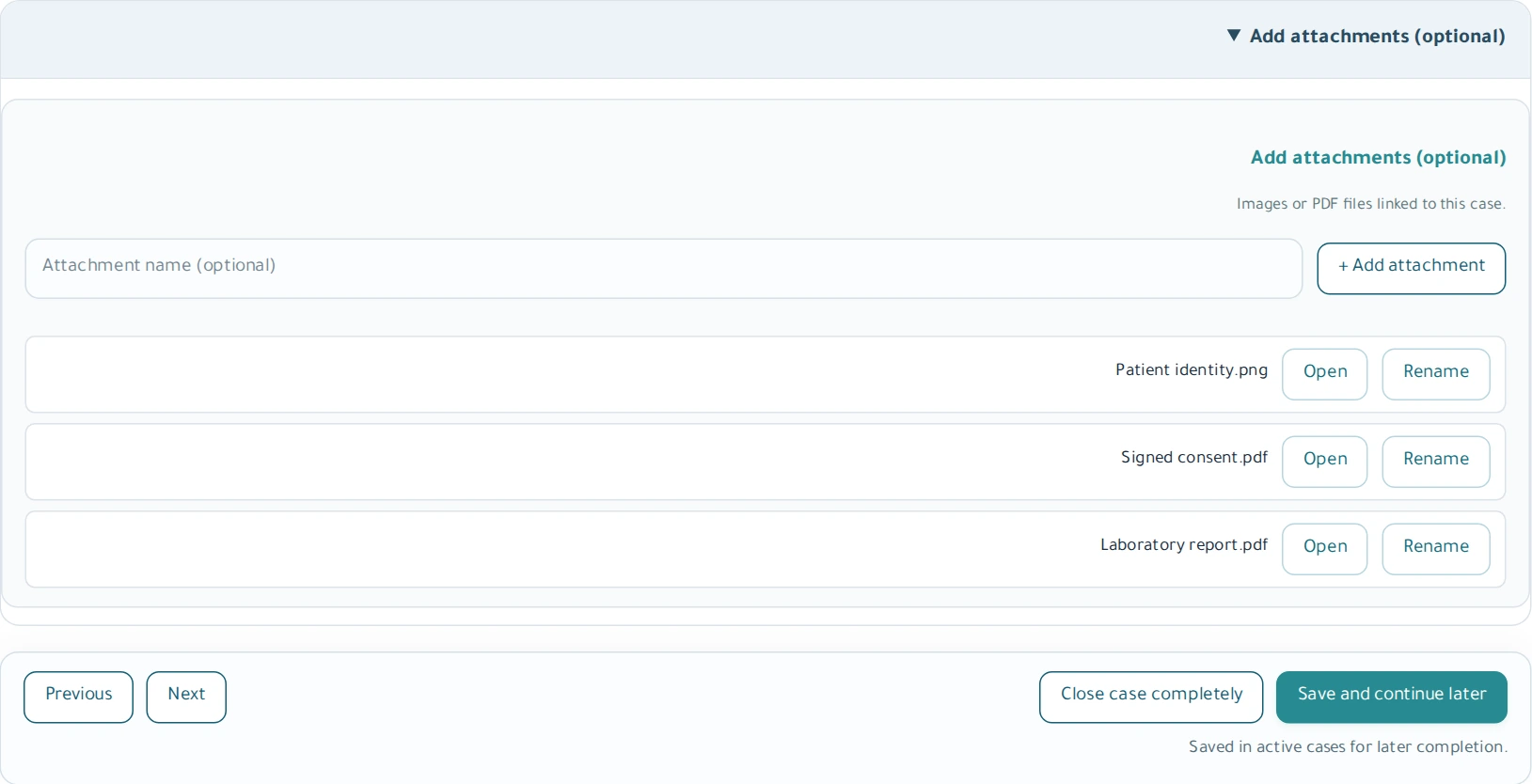
Case attachments
Attach documents such as a biopsy report, describe them and keep them with the case.
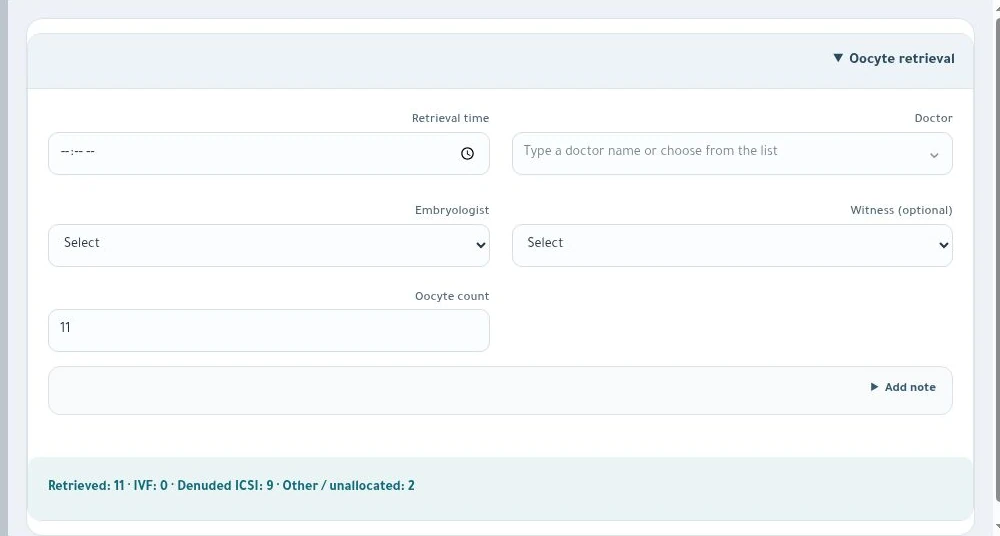
Oocyte retrieval
Record the retrieval time, oocyte count and team.
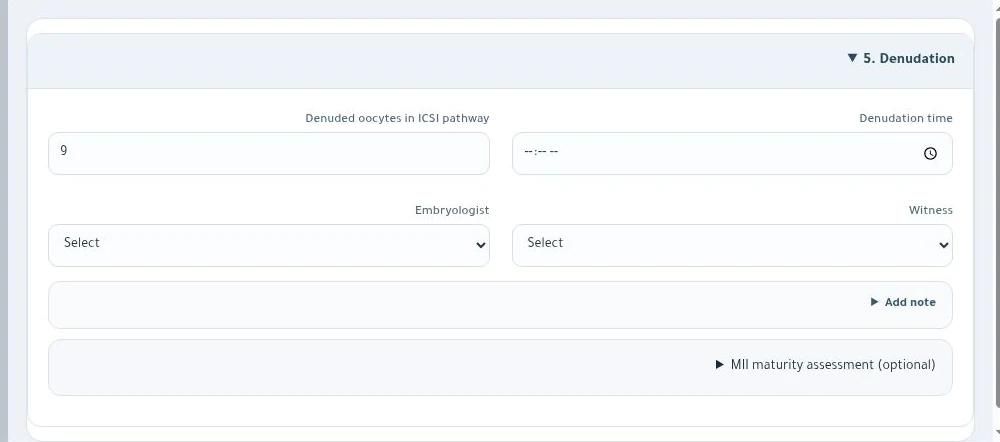
Oocyte denudation
Record the denudation time and the number of oocytes in the ICSI pathway.
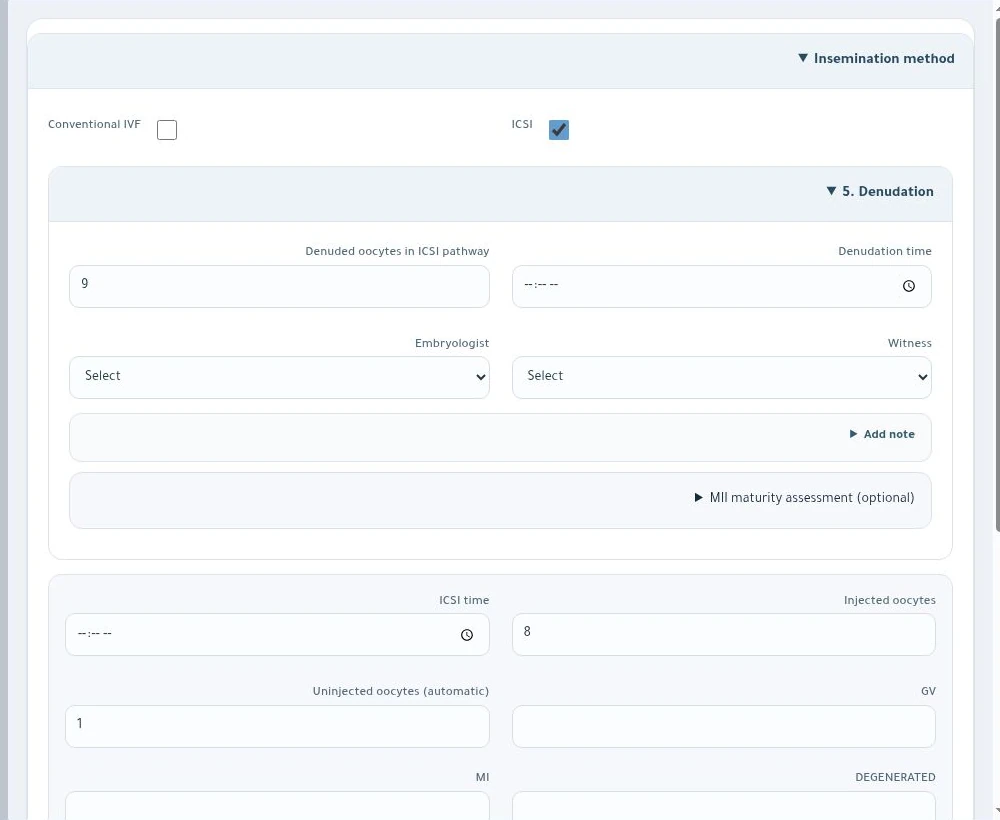
Insemination method
Document conventional IVF or ICSI and the oocyte counts for each method.
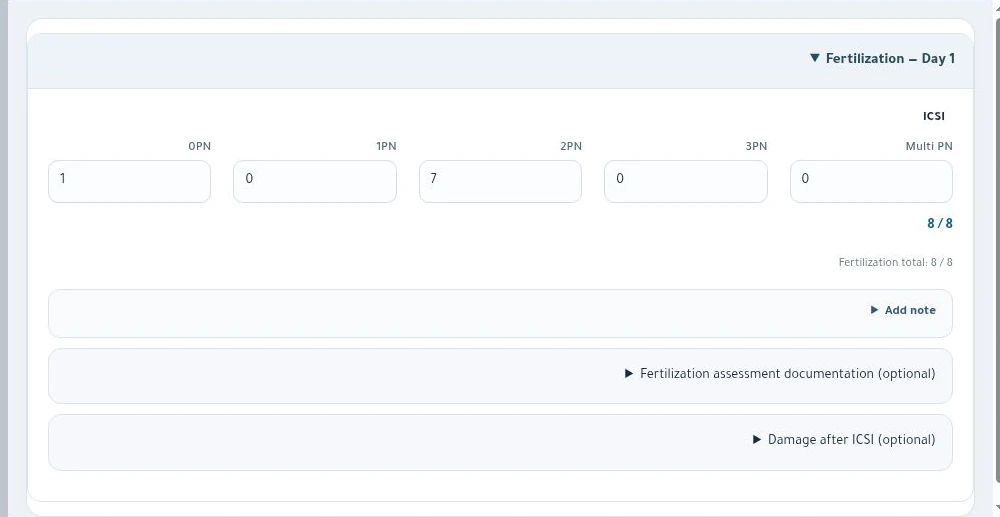
Day-one fertilisation
Record pronuclear counts by insemination method and review the totals.
Catalogue Makeen IVF
Save a reference copy for your laboratory team in either language.